PlacementProduct page block

SmartBoost product-page upsells for Shopify.
Rank relevant add-ons from catalog and session context, keep the merchant in control of the recommendation engine, and launch with one native Shopify theme block.
SignalsCatalog + session context
PrivacyAnonymous shopper data
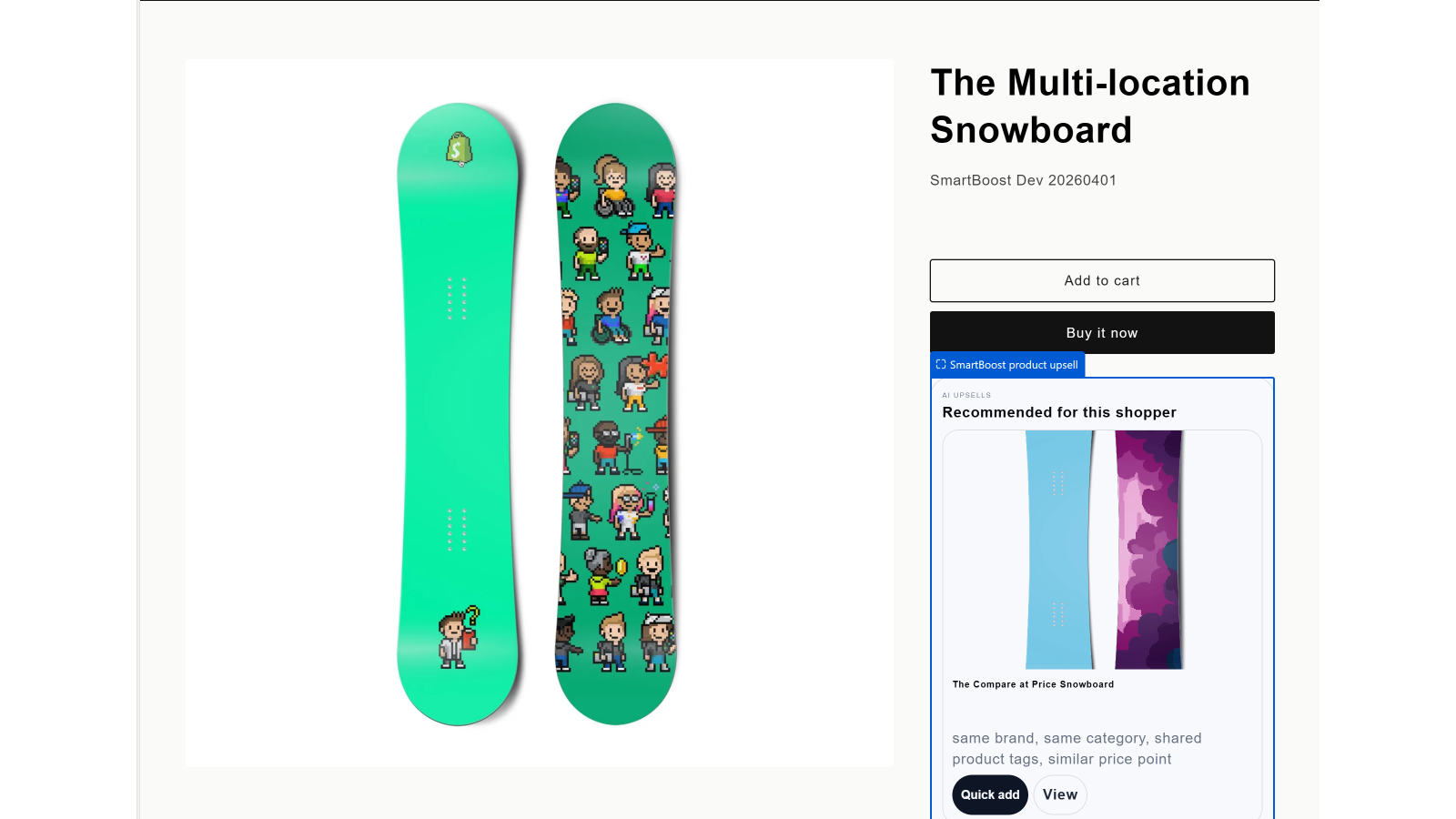
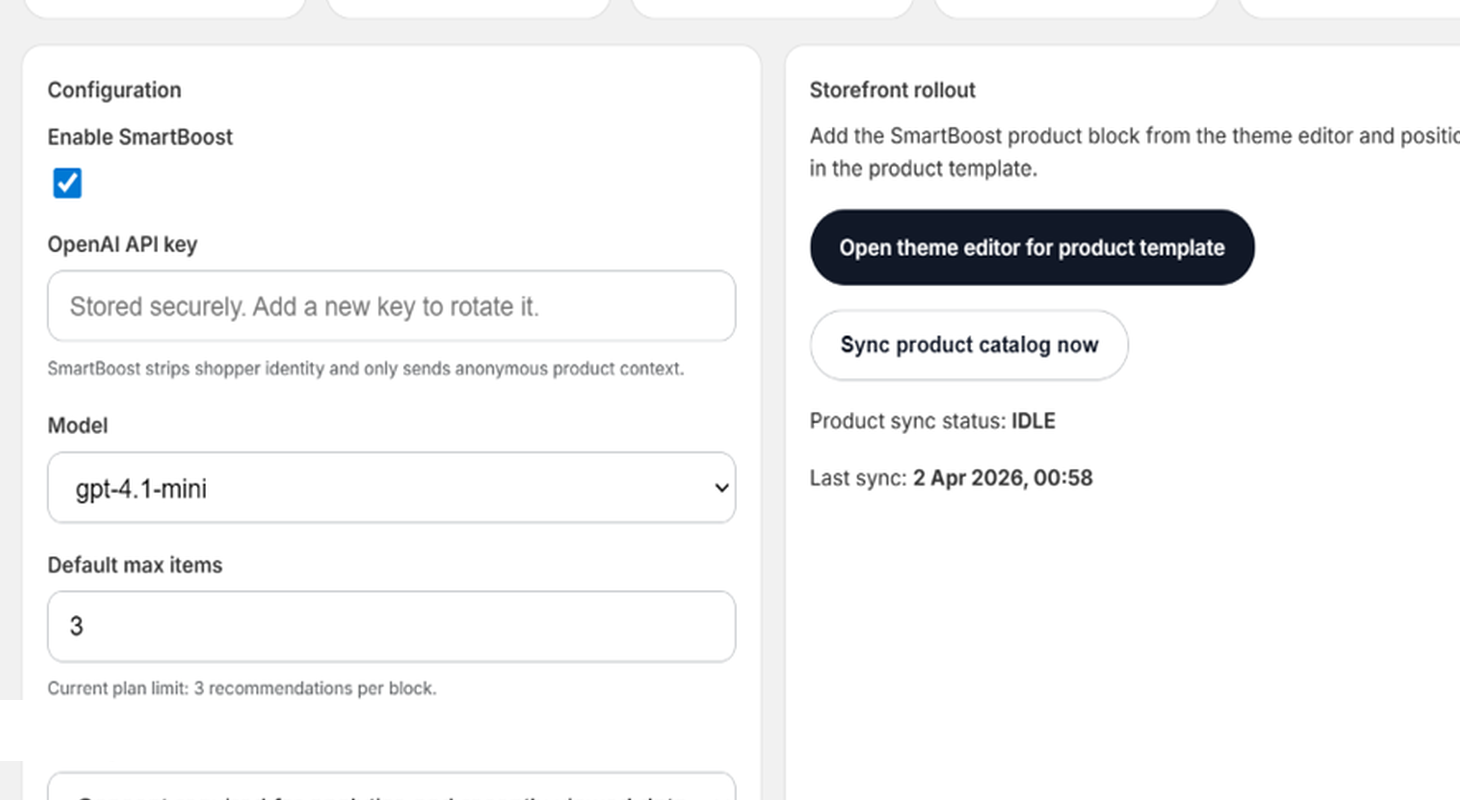
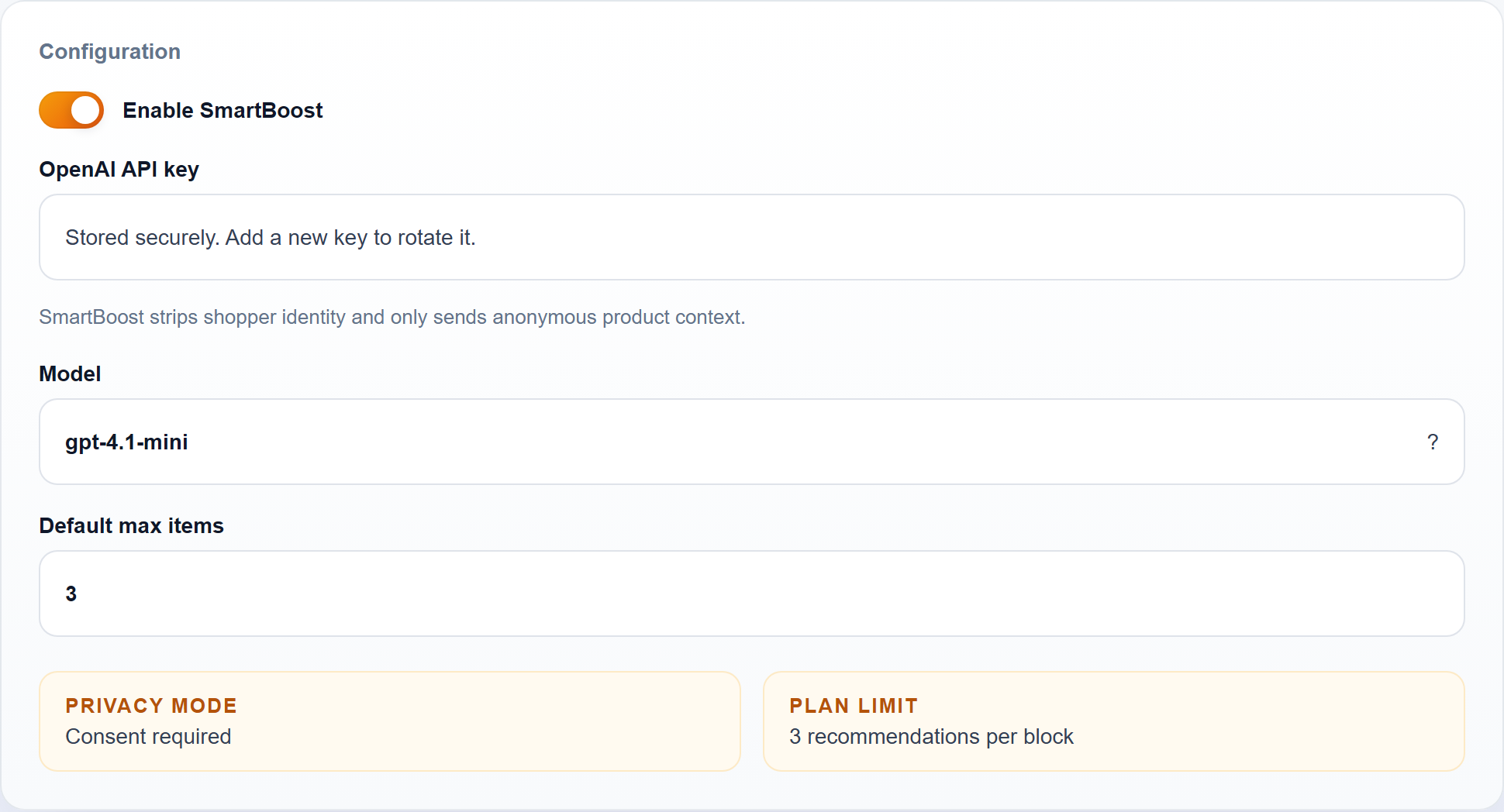
Live storefront and admin flow
Why it lands well with merchants
One focused surface, one clear merchant workflow.
SmartBoost stays close to the buying moment. Merchants choose an engine, place one product-page block, and read lift back inside Shopify.
- Real-time ranking. Recommendations react to the current product and session context without exposing customer identity.
- Provider flexibility. OpenAI, Claude, Gemini, Grok, Ollama, and a built-in token-free statistical mode all fit the same merchant workflow.
- Fast rollout. One block, one admin workflow, one analytics loop.
Demo walkthrough
The product story is visible in a few screens.
The storefront result, dashboard, provider settings, and theme editor all line up without extra theme engineering.
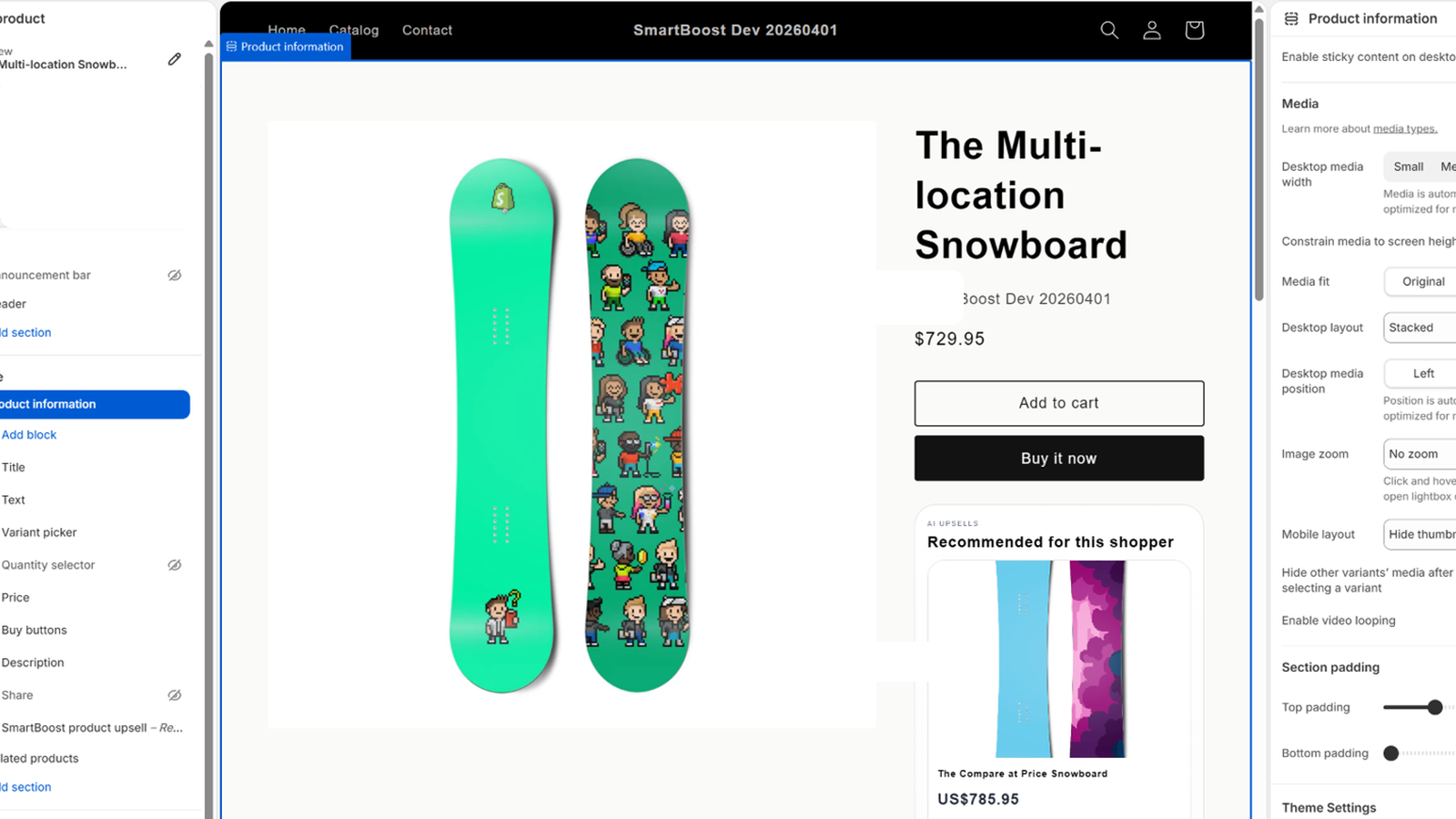
Theme editor
Placement stays native to Shopify.
Merchants place the block where it fits, then tune heading, item count, and reasons without touching code.
Embedded admin
Setup and rollout stay inside Shopify.
Provider setup, rollout controls, and plan state stay in the embedded admin.
Provider setup
Merchant-controlled engine setup.
Engine, model, limits, and optional endpoints are configured per shop.
Launch sequence
Four moves from install to storefront QA.
01
Install and open the embedded app
Start the Shopify install flow, then open SmartBoost from the Apps menu in admin.
02
Choose an engine and enable the app
Use the built-in statistical mode or add API credentials for your preferred provider, then enable recommendations.
03
Add the product-page block
Place the SmartBoost block below product details or near the cart controls.
04
Preview and validate storefront behavior
Confirm recommendations load, then test clicks and add-to-cart tracking.
What ships in v1
A narrow, reviewable product surface.
Theme-native placement
SmartBoost ships as one product-page app block so placement stays native to Shopify's theme editor.
Embedded analytics
Impressions, clicks, and add-to-cart events stay visible in the embedded admin.
Consent-aware signals
Recommendations use catalog and anonymous session context without sending shopper identity to models.
Support: dhookster@gmail.com